
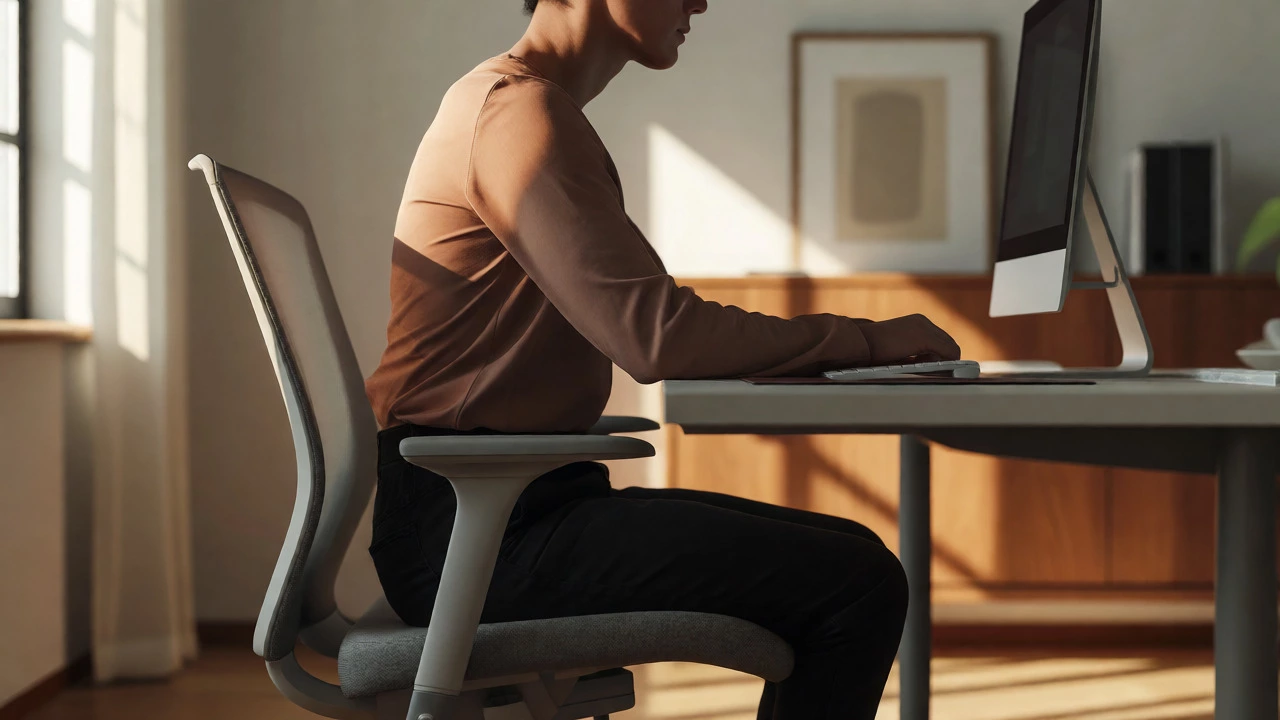
Desk Height Ergonomic Analyzer
Find your neutral zone. Enter your measurements below to determine if your current setup is causing strain.
Your Ergonomic Profile
Recommended Actions
You’ve probably heard the advice a thousand times: "Keep your feet flat on the floor." But have you ever stopped to think about what that actually means for your knees and hips? It’s not just about comfort; it’s about physics. If your desk is too high, your shoulders creep up toward your ears, turning your neck into a tension knot. Too low, and you’re hunching over like you’re trying to hide from the world. So, is it better to sit lower or higher at a desk? The short answer is neither extreme is ideal. The right position isn’t about a specific number in centimeters-it’s about creating a neutral alignment where your body doesn’t have to fight gravity.
The Physics of Sitting: Why Height Matters
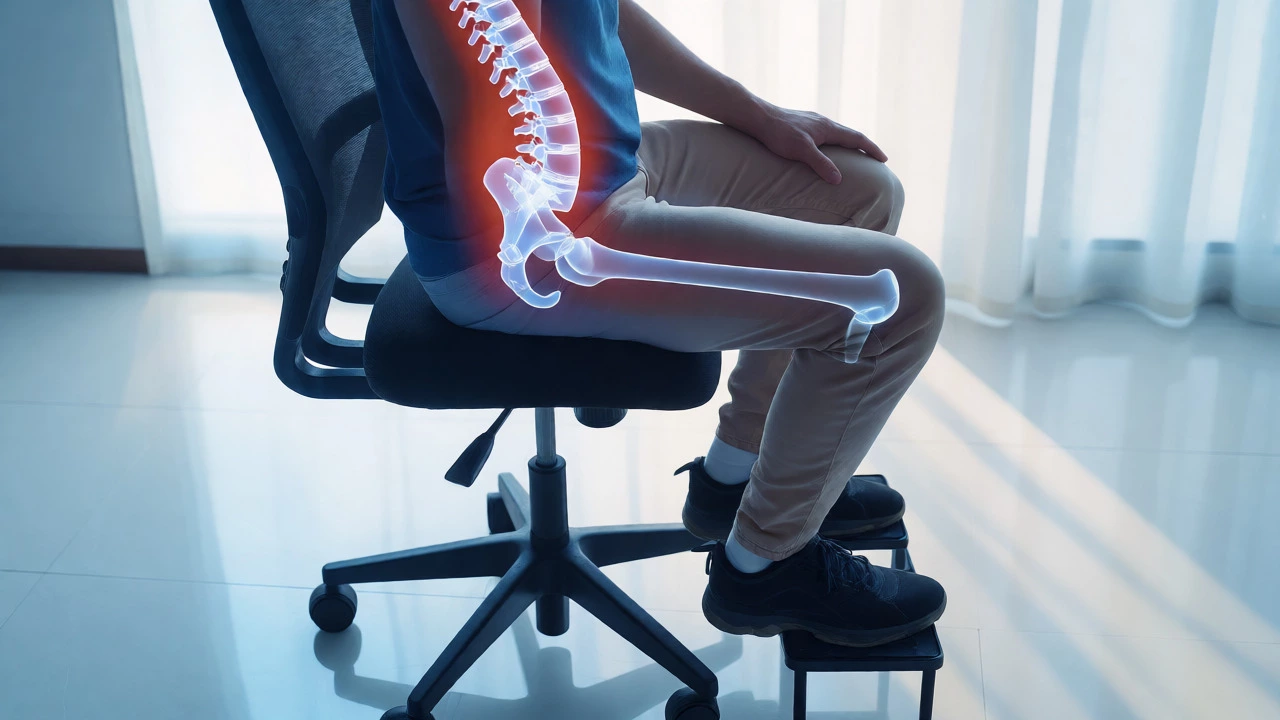
Most people treat their office chair as a static piece of furniture rather than a dynamic tool. But here’s the thing: your spine is a series of stacked vertebrae designed to move, not stay frozen in one spot. When you adjust your seat height, you are directly changing the angle of your hips relative to your torso. This angle dictates how much pressure sits on your lumbar discs. If you sit too high, your thighs slope downward, which can cut off circulation behind the knees. If you sit too low, your pelvis tilts backward, flattening the natural curve of your lower back and forcing your upper back to round forward. That rounded posture is the primary culprit behind those nagging headaches and shoulder pains that seem to appear out of nowhere by 3 PM.
The Case for Sitting Higher: Active Posture
Sitting slightly higher than traditional standards has gained traction among ergonomists and physiotherapists alike. Why? Because raising your seat height above your knee level encourages an open hip angle-typically around 110 to 135 degrees. This might sound counterintuitive if you grew up being told to keep your knees at 90 degrees, but let’s look at the mechanics. An open hip angle allows your pelvis to tilt slightly forward, which naturally restores the inward curve of your lower spine (lordosis). This reduces the strain on your back muscles because your skeletal structure supports your weight, rather than your muscles doing all the heavy lifting.
Think of it like this: when you sit on a bar stool, you’re rarely slouching. You’re balanced. A slightly elevated chair mimics this active engagement. It prevents the "slump" that happens when you sink into a soft, low seat. However, there’s a catch. If you go too high without a footrest, your legs dangle, cutting off blood flow and causing numbness. The key here is balance. You want to be high enough to keep your hips open but grounded enough to feel stable.
The Case for Sitting Lower: Stability and Reach
On the flip side, sitting lower offers a sense of stability that some people crave. If you work with heavy documents, write by hand often, or use a keyboard that requires significant force, a lower position can provide a solid base. Your center of gravity drops, making you feel more anchored. For shorter individuals, a standard desk height (usually around 74 cm) combined with a lower chair setting might be the only way to reach the desk surface comfortably without leaning forward excessively.
But here’s the danger zone: sitting too low forces your elbows to rise above your heart level. This creates tension in the trapezius muscles (those big muscles between your neck and shoulders). Over time, this leads to chronic tightness. Also, if your knees are significantly higher than your hips, you risk compressing the veins in your legs, which can contribute to varicose veins or swelling, especially if you sit for long stretches without moving.
Finding Your Neutral Zone: The 90-90 Rule vs. Modern Ergonomics
For decades, the golden rule was the "90-90-90" rule: 90-degree angles at the ankles, knees, and hips. While this is a decent starting point, modern research suggests it’s too rigid. Human bodies aren’t machines with fixed joints. We need variation. The current consensus leans towards a "dynamic sitting" approach. This means your ideal height changes throughout the day depending on what you’re doing.
When you’re typing intensely, you might prefer a slightly higher seat to keep your wrists straight and your shoulders relaxed. When you’re reading or brainstorming, dropping the seat a few centimeters might help you relax your gaze and reduce eye strain. The goal isn’t to find one perfect height and lock it in forever. It’s to set a baseline that minimizes stress on your joints while allowing for micro-movements.
| Seating Position | Hip Angle | Spinal Impact | Best For |
|---|---|---|---|
| High Seat | > 110° | Promotes lordosis; reduces disc pressure | Typing, active tasks, tall users |
| Standard Seat | ~90° | Neutral; depends on back support | General office work, average height |
| Low Seat | < 90° | Flattens lumbar curve; increases kyphosis | Shorter users, reaching low desks |
How to Adjust Your Chair Correctly
So, how do you actually dial in the right height? Forget the tape measure for a second. Use your body as the guide. Follow these steps to find your sweet spot:
- Stand in front of your chair. Adjust the seat height so the top of the cushion is just below your kneecap. This ensures that when you sit down, your feet will likely touch the floor easily.
- Sit down and check your feet. Your feet should rest flat on the floor. If they don’t, you need a footrest or a lower setting. Never let your feet dangle.
- Check your thighs. There should be a small gap (about two fingers wide) between the edge of the seat and the back of your knees. If the seat presses into your calves, it’s too deep or too high.
- Align your elbows. With your shoulders relaxed, bend your elbows to 90 degrees. Your forearms should be parallel to the floor. If your elbows are higher than your desk, raise your chair. If they’re lower, lower your chair or raise your desk.
This method works because it prioritizes functional movement over arbitrary numbers. It accounts for your unique leg length, torso height, and arm span.
The Footrest Factor: When Higher Is Better
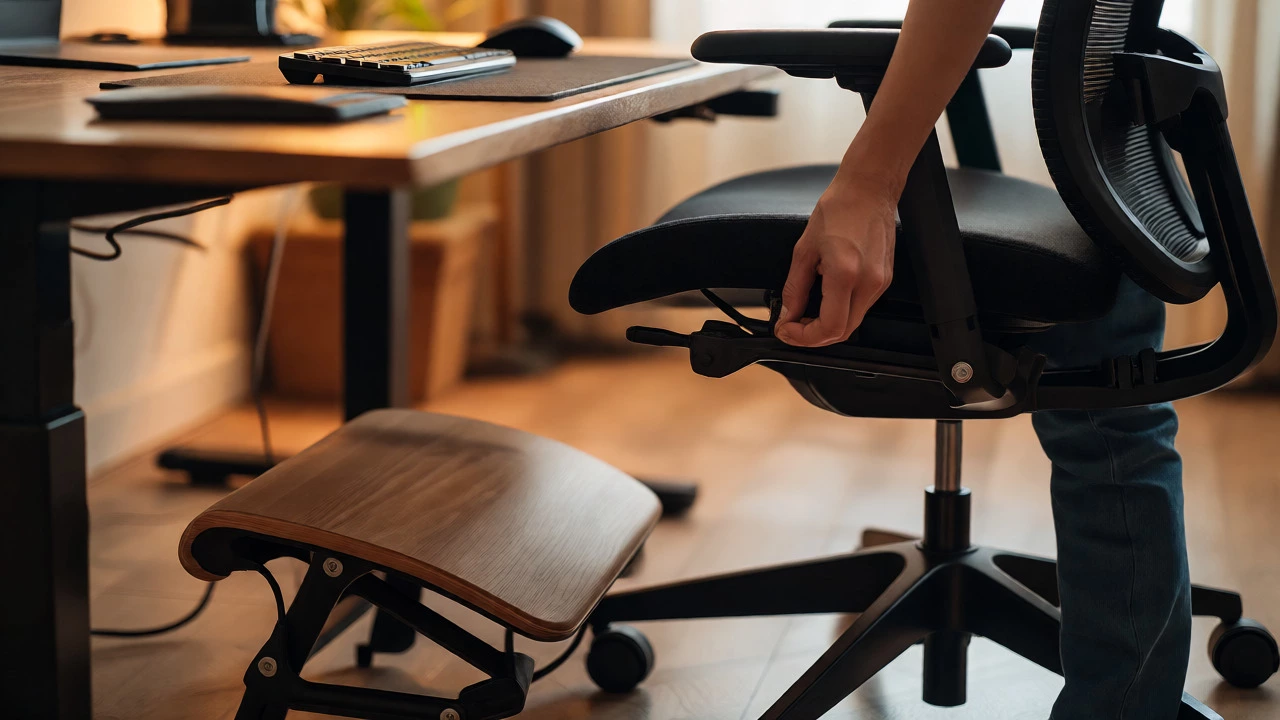
Here’s a pro tip that many people ignore: if you’re struggling to choose between sitting high and low, consider using a footrest. A footrest allows you to raise your chair to the optimal ergonomic height for your arms and eyes while keeping your legs supported. This is particularly useful if you have a fixed-height desk that is too high for your frame. By raising your seat, you align your eyes with the monitor and your wrists with the keyboard. The footrest then takes care of your legs, preventing the circulation issues associated with dangling feet.
In Melbourne, where many home offices are converted from spare rooms with non-adjustable IKEA desks, this setup is a game-changer. It transforms a cramped workspace into an ergonomic haven without requiring expensive new furniture.
Beyond Height: Other Factors That Matter
Height is just one variable. Even if you nail the seat height, poor armrest positioning can ruin your posture. Armrests should support your elbows without pushing your shoulders up. If they’re too high, they create tension. If they’re too low, you end up shrugging to reach them. Similarly, your monitor height plays a huge role. If your screen is too low, you’ll lean forward, negating the benefits of a well-adjusted chair. Aim for the top of your screen to be at or slightly below eye level.
Movement is also critical. No matter how perfectly you set your chair, staying in one position for four hours straight is bad for you. The best posture is always the next one. Set a timer to stand up every 30 minutes. Stretch your hamstrings. Walk around. Your chair is a tool to facilitate movement, not a cage to trap you in.
Troubleshooting Common Pain Points
If you’re experiencing pain, look at your setup through the lens of height. Neck pain? Check if you’re craning your neck forward because your monitor is too low or your chair is too far back. Shoulder pain? Likely your arms are unsupported or your chair is too high, forcing you to shrug. Lower back pain? Often a sign of sitting too low, causing pelvic retroversion, or sitting too high without proper lumbar support.
Audit your current setup today. Take five minutes to adjust your chair height by just two centimeters. Notice how it feels after an hour. Small tweaks can lead to massive improvements in comfort and productivity.
Is it bad to sit with my feet dangling?
Yes, sitting with your feet dangling is generally bad for circulation. It puts pressure on the underside of your thighs, which can restrict blood flow and cause numbness or tingling. If your feet don’t touch the floor when your chair is at the correct height for your desk, use a footrest or lower the chair.
Should my knees be higher than my hips?
Traditionally, no. Keeping your knees at or slightly below hip level helps maintain a neutral pelvic tilt. However, modern ergonomic advice suggests that having your hips slightly higher than your knees (an open angle) can actually improve spinal alignment by encouraging the natural curve of the lower back. Just ensure your feet are still firmly supported.
Does sitting higher burn more calories?
Not significantly. While sitting in a more upright, active posture engages your core muscles slightly more than slouching, the calorie difference is negligible. The main benefit of sitting higher is improved posture and reduced musculoskeletal strain, not weight loss.
What if I have a standing desk?
If you use a standing desk, the same principles apply when you sit. Ensure your seated height aligns with the desk surface so your elbows remain at 90 degrees. Many people alternate between standing and sitting. When switching to sitting, adjust your chair height accordingly, as your elbow height relative to the desk may change slightly depending on your shoe heel height.
How do I know if my chair is too low?
Signs include hunching your shoulders to reach the desk, feeling pressure behind your knees, or experiencing lower back pain due to a flattened spine. If your thighs slope upward steeply when you sit, your chair is likely too low for your desk height.