
Office Posture Self-Assessment Tool
Click each item below that applies to your current workstation setup. This assessment is based on ergonomic research from the article.
Sitting for eight hours a day doesn't have to mean waking up with a stiff neck or lower back pain. Most of us spend more time in our chairs than we do sleeping, yet we rarely think about how we’re positioned until something hurts. The truth is, there is no single "perfect" static pose that you should hold like a statue. In fact, holding one position too long is just as bad as slouching. The real secret to healthy sitting isn't finding one magic angle-it's about movement, balance, and small adjustments throughout the day.
If you’ve ever felt trapped by your workstation, you’re not alone. We all know the drill: laptop open, coffee cooling, and suddenly it’s 3 PM and your shoulders are tight. While some people look for quick fixes online-like checking out this directory for distractions during breaks-the most effective solution lies in understanding how your body interacts with your furniture. Let’s break down what actually works, based on biomechanics and ergonomic research, so you can protect your spine without feeling like you’re doing yoga at your desk.
The Myth of the Perfect Posture
For decades, we were told to sit up straight with our backs flat against the chair and feet flat on the floor. While that sounds simple, maintaining that rigid position for hours causes muscle fatigue. Your core muscles aren’t designed to hold a static load indefinitely. When they tire, your spine takes the hit, leading to disc compression and joint strain.
Modern ergonomics favors a concept called "active sitting." This means shifting your weight slightly, changing angles, and using your chair as a tool rather than a trap. Think of your posture like a car suspension system-it needs to absorb bumps and adjust to the road, not lock into place. If you find yourself reaching for a stretch every hour, that’s a sign your current setup isn’t supporting dynamic movement.
Setting Up Your Foundation: Feet and Hips
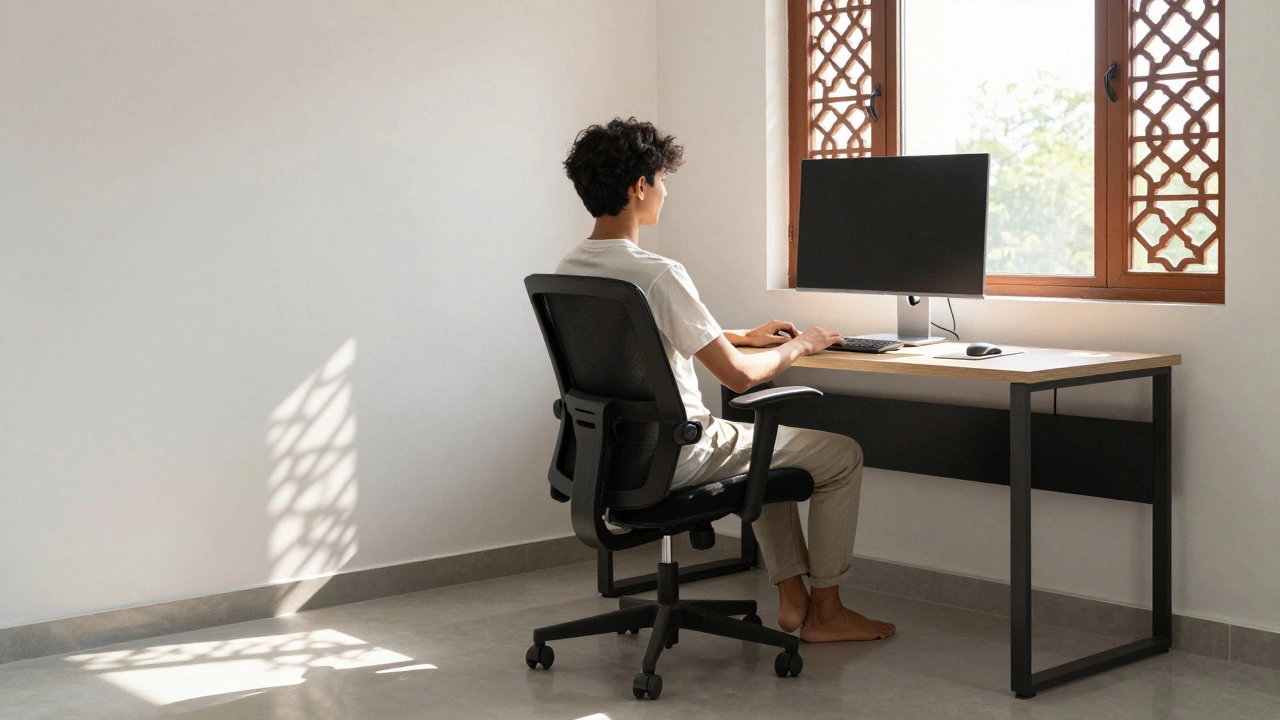
Healthy sitting starts from the ground up. Your feet should be flat on the floor or on a footrest if your legs dangle. Why does this matter? Because when your feet are unsupported, your pelvic bones tilt forward, which flattens the natural curve of your lower back. This puts extra pressure on your lumbar discs.
- Feet: Keep them flat and hip-width apart. If your chair is too high, use a box or dedicated footrest.
- Hips: Sit back fully in the chair. Your hips should be slightly higher than your knees (about 5-10 degrees). This angle helps maintain the natural S-curve of your spine.
- Knees: There should be a small gap between the back of your knees and the seat edge. Tight space here cuts off circulation and forces you to slide forward, breaking your posture.
If you cross your legs often, try to limit it. Crossing legs tilts your pelvis unevenly, causing one side of your lower back to work harder than the other. Over time, this imbalance can lead to chronic sciatica or hip pain.
Aligning Your Spine and Shoulders
Once your base is set, focus on your torso. Your ears should align roughly with your shoulders, and your shoulders should sit over your hips. This vertical stack minimizes leverage forces on your vertebrae. Many people slump forward because their monitors are too low or their desks are too deep, forcing them to reach for the keyboard.
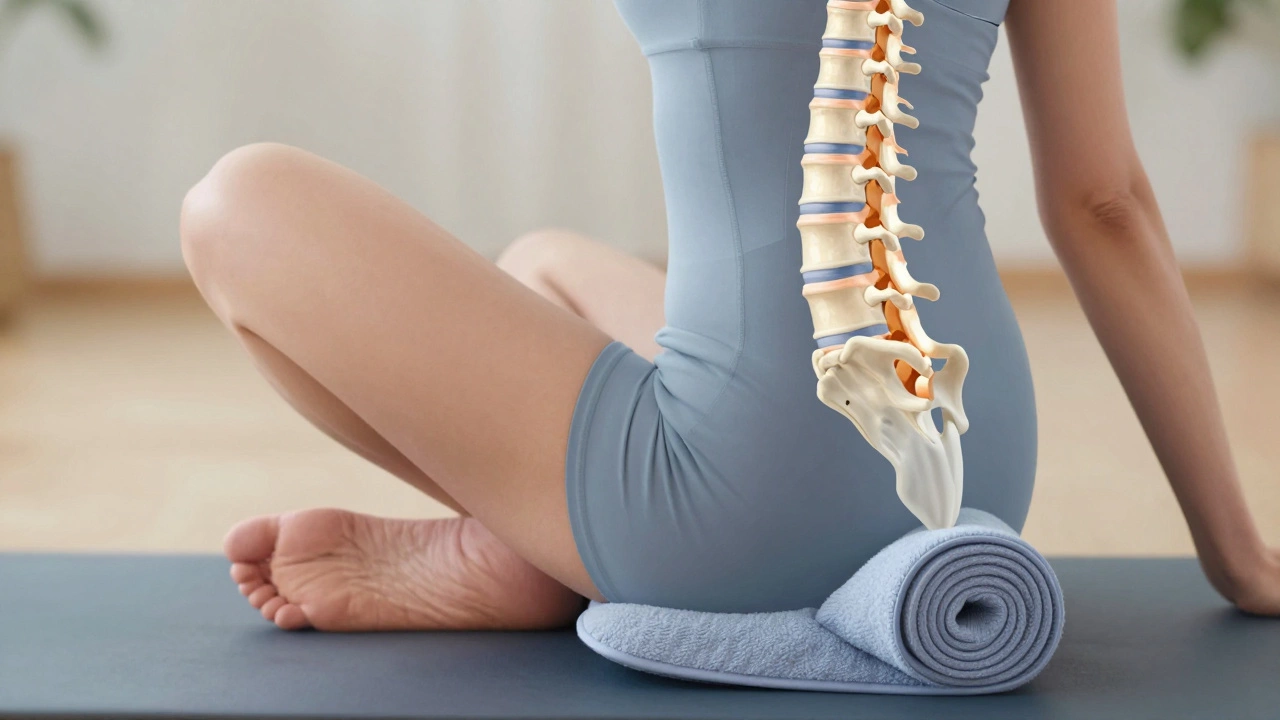
Lumbar support is critical here. If your chair doesn’t have adjustable lumbar support, roll up a small towel and place it at the small of your back. This fills the gap between your spine and the seat, preventing that dreaded C-shape slump. Without proper support, your abdominal muscles have to work overtime to keep you upright, leading to early fatigue and poor form.
Keep your shoulders relaxed and down, away from your ears. Tension in the trapezius muscles (the ones connecting your neck to your shoulders) is a common source of headaches. If you feel tension building, gently shrug your shoulders up to your ears, hold for three seconds, then drop them sharply. Repeat this five times to reset muscle memory.
Arm Position and Keyboard Height
Your arms play a bigger role in posture than you might think. If your elbows are bent at 90 degrees but your forearms are floating in mid-air, your shoulder girdle has to stabilize them constantly. This leads to upper back rounding.
- Adjust your chair height so your elbows rest comfortably on armrests or the desk surface.
- Ensure your wrists are straight, not bent upward or downward while typing.
- Keep your mouse close to your keyboard to avoid reaching, which strains the rotator cuff.
If your desk is fixed-height and too high, consider lowering your chair and using a footrest instead of raising your arms. It’s better to support your legs than to force your shoulders into a hunched position. Remember, comfort is subjective-if your wrists hurt, adjust; if your shoulders ache, move the mouse closer.
The Power of Micro-Movements
No amount of perfect alignment will save you if you stay still for four hours straight. Blood flow slows down, joints stiffen, and muscles shorten. The healthiest way to sit involves frequent micro-adjustments. Shift your weight left to right, lean back slightly, then forward. These tiny movements pump fluid through your spinal discs, keeping them nourished and flexible.
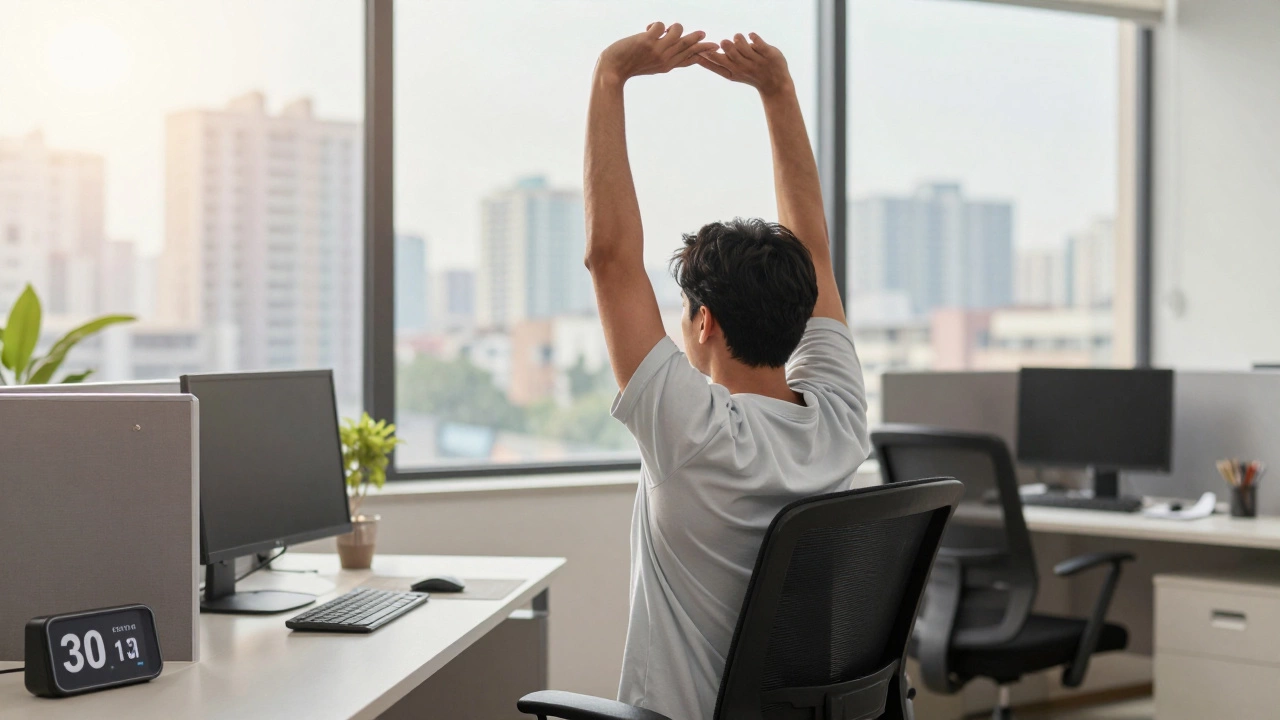
Set a timer for every 30 minutes. When it goes off, stand up for 60 seconds. Walk to get water, stretch your arms overhead, or simply march in place. You don’t need a full workout-just enough motion to signal your body that it’s still active. Studies show that interrupting prolonged sitting with brief standing periods significantly reduces metabolic risks and back discomfort.
Choosing the Right Chair
Even the best posture habits struggle against a poorly designed chair. Look for these features when shopping:
| Feature | Why It Matters | Ideal Specification |
|---|---|---|
| Lumbar Support | Maintains spinal curve | Adjustable height and depth |
| Seat Depth | Prevents knee pressure | 2-4 fingers width behind knee |
| Armrests | Reduces shoulder strain | Height and width adjustable |
| Tilt Mechanism | Encourages movement | Syncro-tilt with tension control |
Avoid chairs with hard, unyielding seats. Memory foam or high-density mesh distributes weight evenly, reducing pressure points on your sit bones. Also, check the wheel type-hard casters damage hardwood floors, while soft rubber wheels glide silently on carpets. Small details add up to long-term comfort.
Common Mistakes to Avoid
Many people unknowingly sabotage their posture with well-intentioned habits. Here are the biggest culprits:
- Sitting on your wallet: This creates an immediate pelvic tilt, compressing one side of your lower back. Always empty your pockets before sitting.
- Reaching for the phone: Cradling a phone between your ear and shoulder strains the cervical spine. Use a headset or speakerphone instead.
- Ignoring monitor height: If you’re looking down at your screen, your head weighs effectively 27 pounds on your neck. Raise your monitor so the top third is at eye level.
- Using a gaming chair for office work: While stylish, many gaming chairs lack proper lumbar adjustment and encourage reclined positions that aren’t ideal for focused tasks.
Notice which mistakes apply to you. Awareness is the first step toward change. You don’t need to fix everything overnight-start with one adjustment, like raising your monitor or adding a footrest, and build from there.
When to Seek Help
If you experience persistent numbness, tingling, or sharp pain despite adjusting your setup, consult a physical therapist or chiropractor. They can assess whether underlying issues like herniated discs or nerve impingement require targeted treatment. Don’t ignore red flags-early intervention prevents chronic conditions.
Also, consider your overall lifestyle. Sitting less is always better than sitting more. Incorporate walking meetings, take stairs instead of elevators, and prioritize sleep quality. Your body is interconnected; improving mobility outside the office enhances resilience inside it.
How often should I change my sitting position?
Aim to shift your weight or adjust your posture every 15-20 minutes. Stand up and move for at least 1-2 minutes every hour to restore blood flow and reduce muscle stiffness.
Is it better to sit or stand all day?
Neither extreme is ideal. Alternating between sitting and standing (sit-stand desks) offers the best benefits. Start with 30 minutes sitting, 30 minutes standing, and gradually increase standing time as your endurance builds.
Do lumbar pillows really help?
Yes, if used correctly. A lumbar pillow supports the natural inward curve of your lower back. Place it at waist level, not too high or low, and ensure it doesn’t push your chest forward unnaturally.
Can bad posture cause permanent damage?
Chronic poor posture can lead to degenerative disc disease, arthritis, and nerve compression over years. However, the body is adaptable-correcting habits early reverses most issues before they become permanent.
What’s the best chair for someone with back pain?
Look for chairs with adjustable lumbar support, seat depth, and tilt tension. Brands like Herman Miller, Steelcase, and Haworth offer models tested for clinical efficacy. Avoid cheap, non-adjustable options if pain is a concern.